See the status of your latest tasks
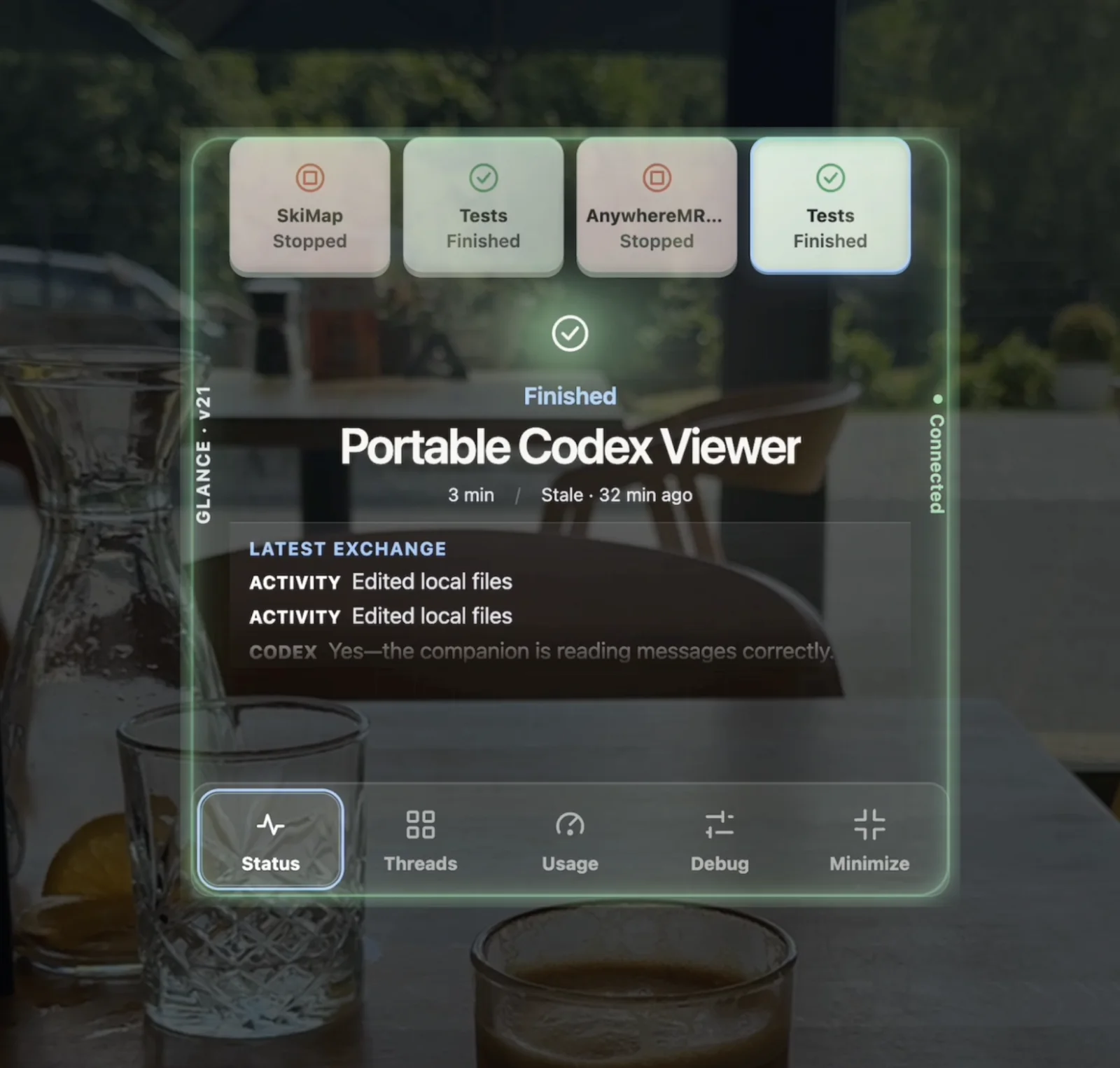
Know what is thinking, reading, editing, testing, waiting, finished, or failed—with elapsed time and attention alerts.
Codex, at a glance
See live status, recent messages, attention alerts, and usage—without returning to your Mac.
Setup is simple. Install the local Mac companion, pair your glasses with a PIN, and choose what appears in Glance.
Why Glance
Glance is the passive, heads-up layer for Codex. Use Codex on desktop or mobile when you want to interact; use Glance when you simply want to see what is happening without opening another interface.
Designed for a glance
Know what is thinking, reading, editing, testing, waiting, finished, or failed—with elapsed time and attention alerts.
See the latest shared exchange immediately, then open an optional transcript when you want more context.
View the official allowance windows, reset times, token activity, and available session metrics exposed by your Codex installation.
How it works
The required Mac companion reads official Codex events, applies your privacy controls, and relays a display-safe snapshot to your paired glasses. Glance shows information; Codex remains the place where you work and interact.
Continue using your authenticated Codex installation and its full desktop or mobile interfaces.
The local bridge reads official App Server events and applies your sharing controls and redaction.
A paired, role-separated channel carries normalized display data—not credentials, source files, or a remote shell.
The glasses app shows live status, attention, recent threads, optional transcripts, and available usage.
First-time setup
Setup takes both your Mac and your glasses. After pairing, each side keeps a separate revocable credential and reconnects on its own.
Download the Apple Silicon development build, move it to Applications, open it, and confirm that Codex is detected.
Visit the glasses app. It creates a short-lived, single-use six-digit PIN.
The companion and glasses receive separate credentials. The PIN expires immediately after pairing.
Keep the useful defaults or adjust titles, summaries, Git, usage, and transcript sharing from the companion.
Privacy by architecture
The Mac companion connects to the official Codex App Server locally. It never asks for or reads your OpenAI password, API key, ChatGPT cookie, or raw authentication files.
What you need
Browser or web-app access for the glanceable interface.
macOS 13 or newer for the current unsigned companion build.
An installed Codex CLI/App with the official local App Server available.
For secure pairing and the real-time Cloudflare relay.
Experimental v0.1: transcript completeness and usage fields depend on what your installed Codex version officially exposes. Stop is disabled when supported cancellation is unavailable. Signing and notarization are not included in the current Mac build.
Codex, at a glance.